The problem
Most AI reading tools either over-summarize or act like generic chatbots. I wanted to explore a more useful model: an AI-assisted workflow that helps readers capture messy notes, turn them into structured memory, reflect on what matters, and retrieve it later without spoilers or invented facts.
Why this mattered
The challenge was not just adding AI to a product. It was making AI helpful without taking over the user’s thinking.
I wanted to test how far a product designer with coding knowledge could go in building a real AI product, not just designing screens for one.
The opportunity was to structure AI into clear, focused jobs that support the reading experience at different moments.
My role
I was the sole designer and builder. I defined the workflow, wrote the prompt logic and behavioral rules for each AI feature, designed the interface in Figma, and used AI coding tools to build the product
Outcomes
Working end-to-end product
From note capture to structured memory, reflection, and spoiler-safe retrieval.
Focused AI behaviors
Instead of one vague assistant, I designed several narrower AI roles with clear responsibilities and limits.
AI-assisted workflow
Used coding agents, structured prompts, and Figma MCP to turn the product into a working system.
Tested and refined
User testing and real-world use led to changes like stronger handling of narrative elemnts, and tighter AI behavior rules.
02. THE OPPORTUNITY
Most AI tools are good at sounding smart. Very few help people actually learn
Readers often highlight passages or take notes, but these notes get lost and rarely lead to deeper understanding. Most reading apps track progress, and most AI tools summarize content for the user instead of supporting personal insight.
This project aims to help readers remember more of what they read by creating a tool that guides reflection, connects ideas across chapters, and builds a clearer long term memory of books.
Scriba in action
03. THE CORE IDEA
The mental model was simple:
capture → structure → reflect → retrieve
A reading assistant that thinks with you, not for you.
Capture reader thoughts while reading.
Highlight relationships between themes, characters, and ideas.
Generate summaries based on the reader’s notes, not generic AI text.
Track story elements through a structured data model.
Support guided reflection after each chapter.
04. DESIGNING THE AI BEHAVIOR
What AI could NOT do > What the AI could do
I wanted the AI to be helpful, but not overbearing. Supportive, but not dominant. Smart, but not performative. That meant creating explicit behavioral boundaries for each AI role.
I designed the system so that:
it only answered from the user’s saved notes and reading progress
it stayed spoiler-safe by refusing to go beyond what the reader has written
it admitted uncertainty when the notes were thin
it asked clarification questions only when missing detail would materially improve the saved memory
it avoided turning the user’s writing into generic, over-polished AI slop
05. AI LAYERING IN ACTION
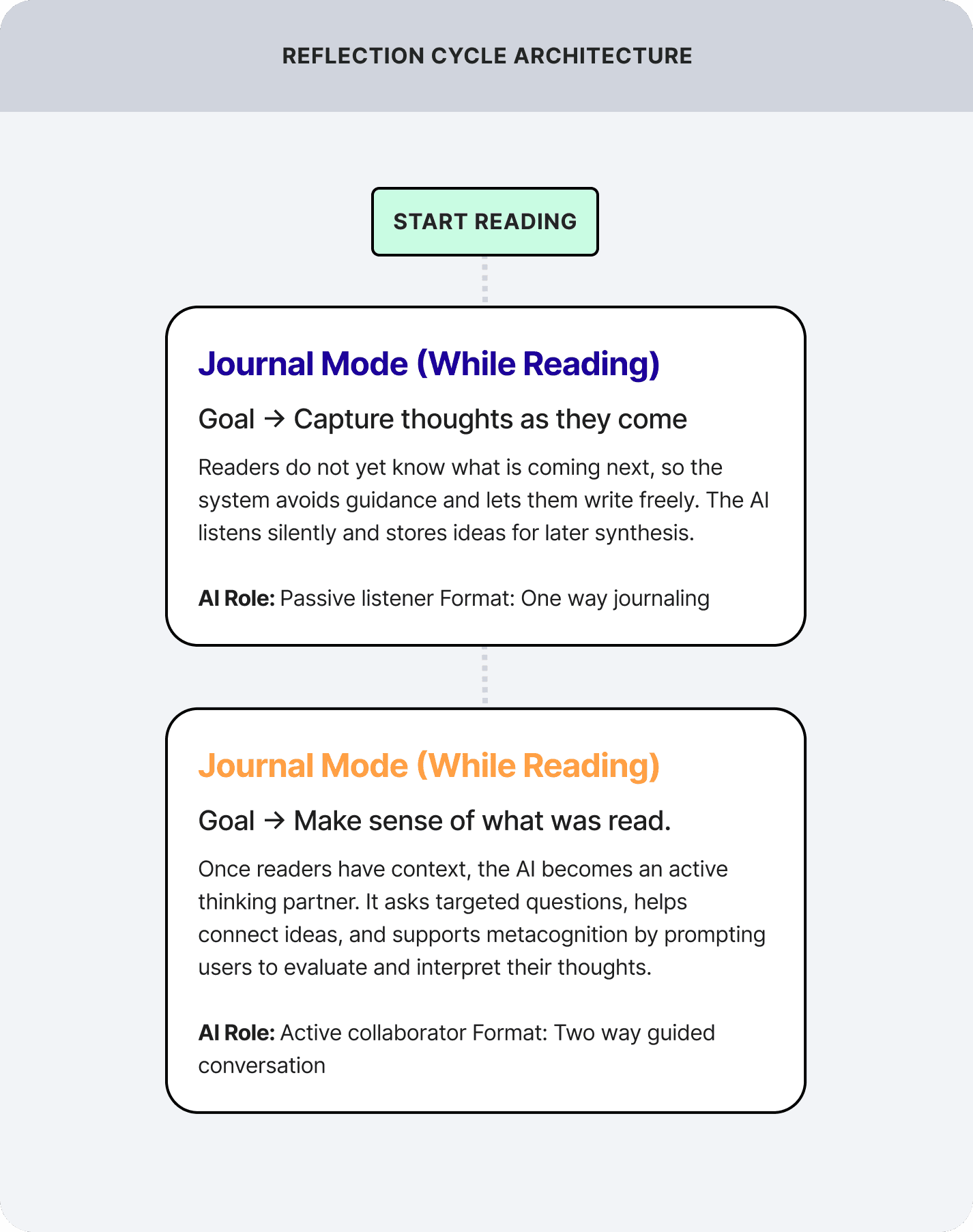
At a product level, Scriba is not built around one all-knowing assistant. It is built around a small set of focused AI behaviors.
The silent organizer
AI turns messy notes into structured memory: summary, characters, setting, relationships, and reflections. It mostly stays invisible unless a missing detail is important enough to ask about.
The Reflection coach
It does not summarize. It asks the next useful question based on what the user already wrote, helping deepen recall and interpretation.
The "Scribe"
When the user asks something like “Who is this again?” or “How are these two connected?”, the assistant answers only from saved notes up to the user’s progress.
The knowledge
The AI generates and store a working memory of everything the user has written to answer questions, it improve output quality, and track stats the more information it has.
06. FROM DESIGNER TO BUILDER
A big reason this project matters is that I did not stop at defining the experience in Figma. I built it.
I used OpenAI's coding assistant "Codex" to create the Next.js project, implement the AI model endpoints, set up the front end, and scaffold the database structure. I created the API keys, service setup, and Supabase tables, and I directed the implementation by defining the product logic and the rules the AI needed to follow.
AI did not replace product thinking. It accelerated execution after the structure was clear.
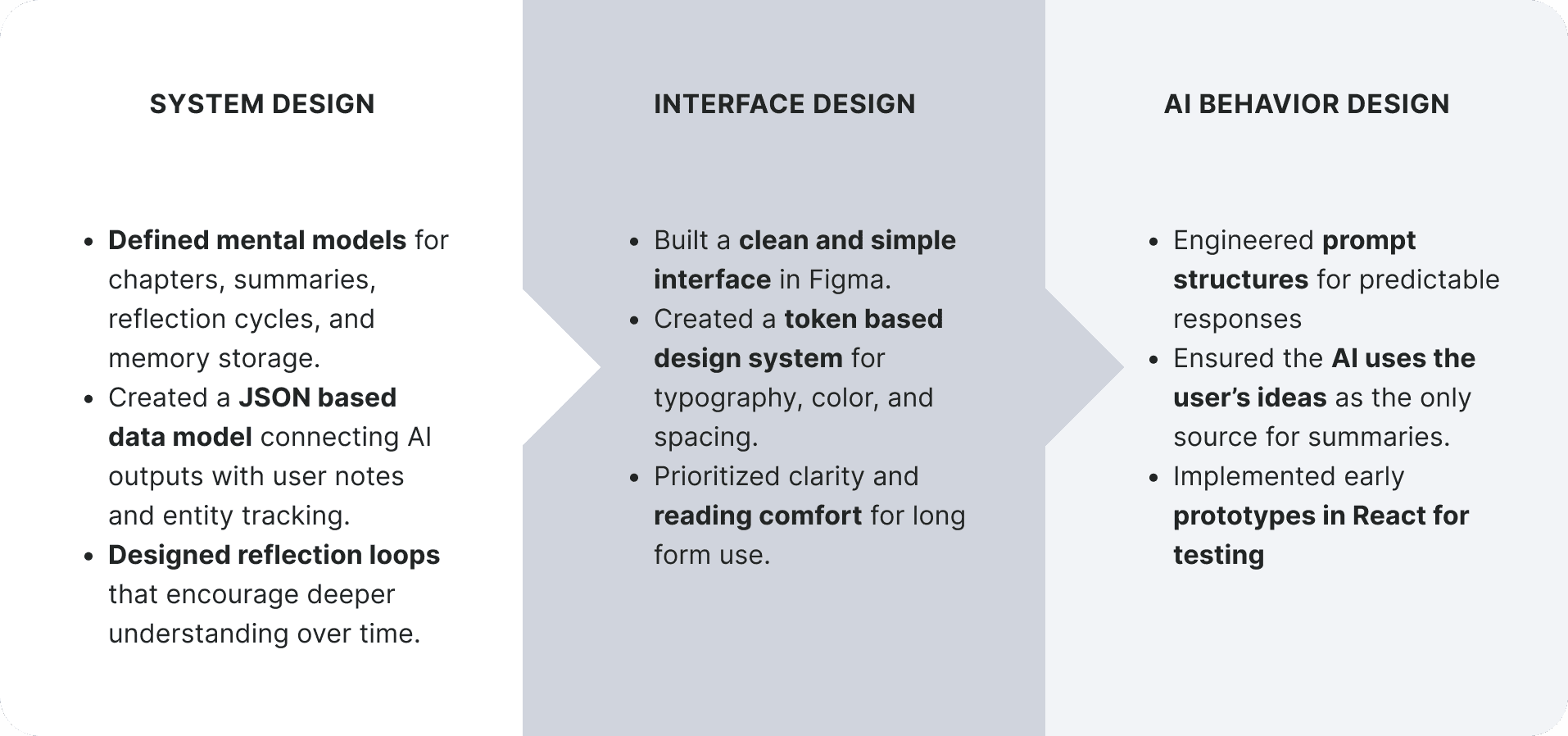
That became even more obvious when I connected the coding agent to Figma through MCP. Instead of asking the agent to guess from screenshots, I gave it access to the actual design definitions through a Figma-generated JSON structure. That improved fidelity and sped up the workflow substantially.
07. THE PRODUCT
All the designs for this prototype were made using Figma, going from a low fidelity idea to a high-fidelity prototype with its own mini design system after multiple rounds of feedback and iterations. The following screens will show the key interactions and visual elements
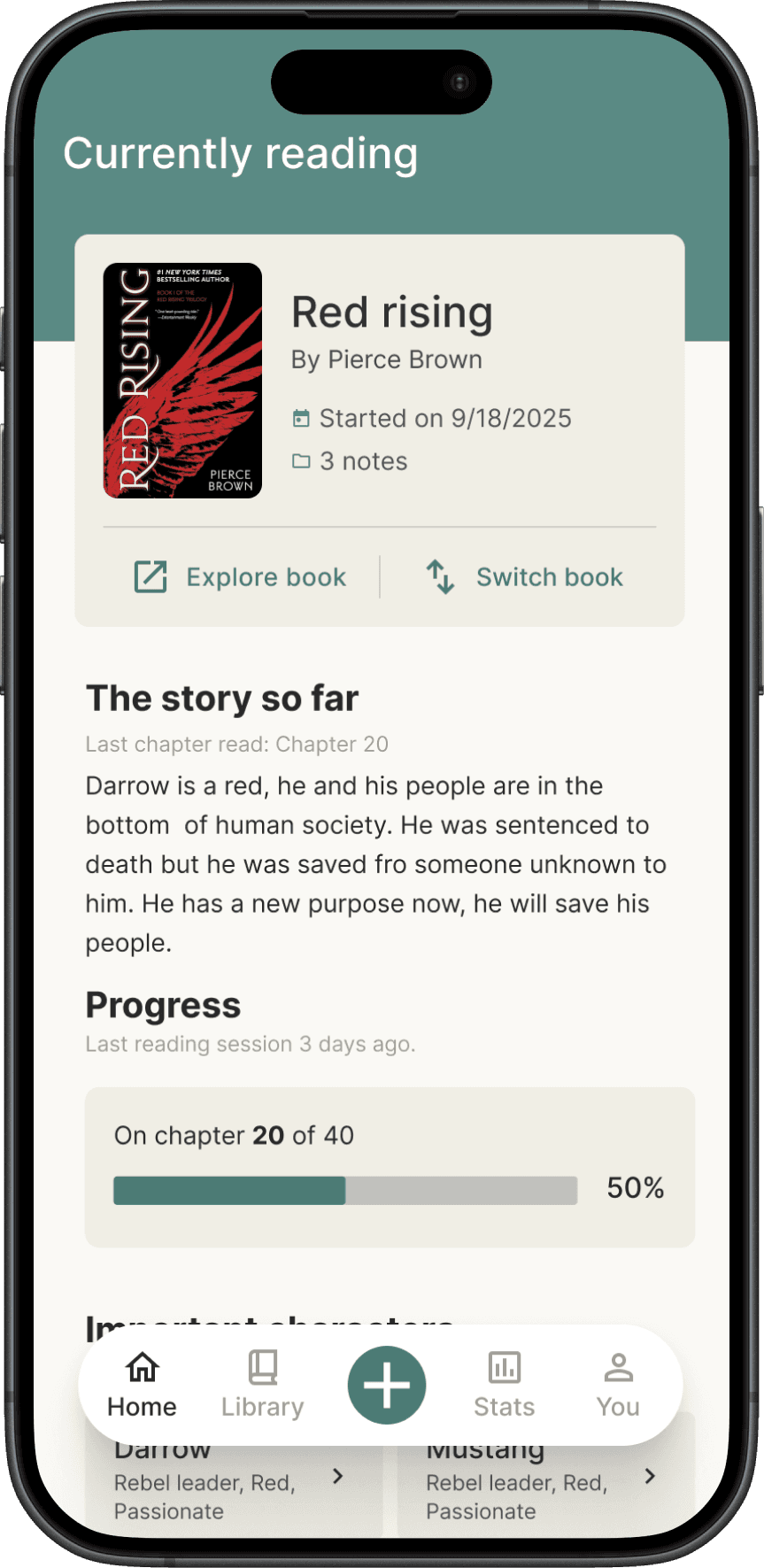
Home: A quick snapshot of your reading activity
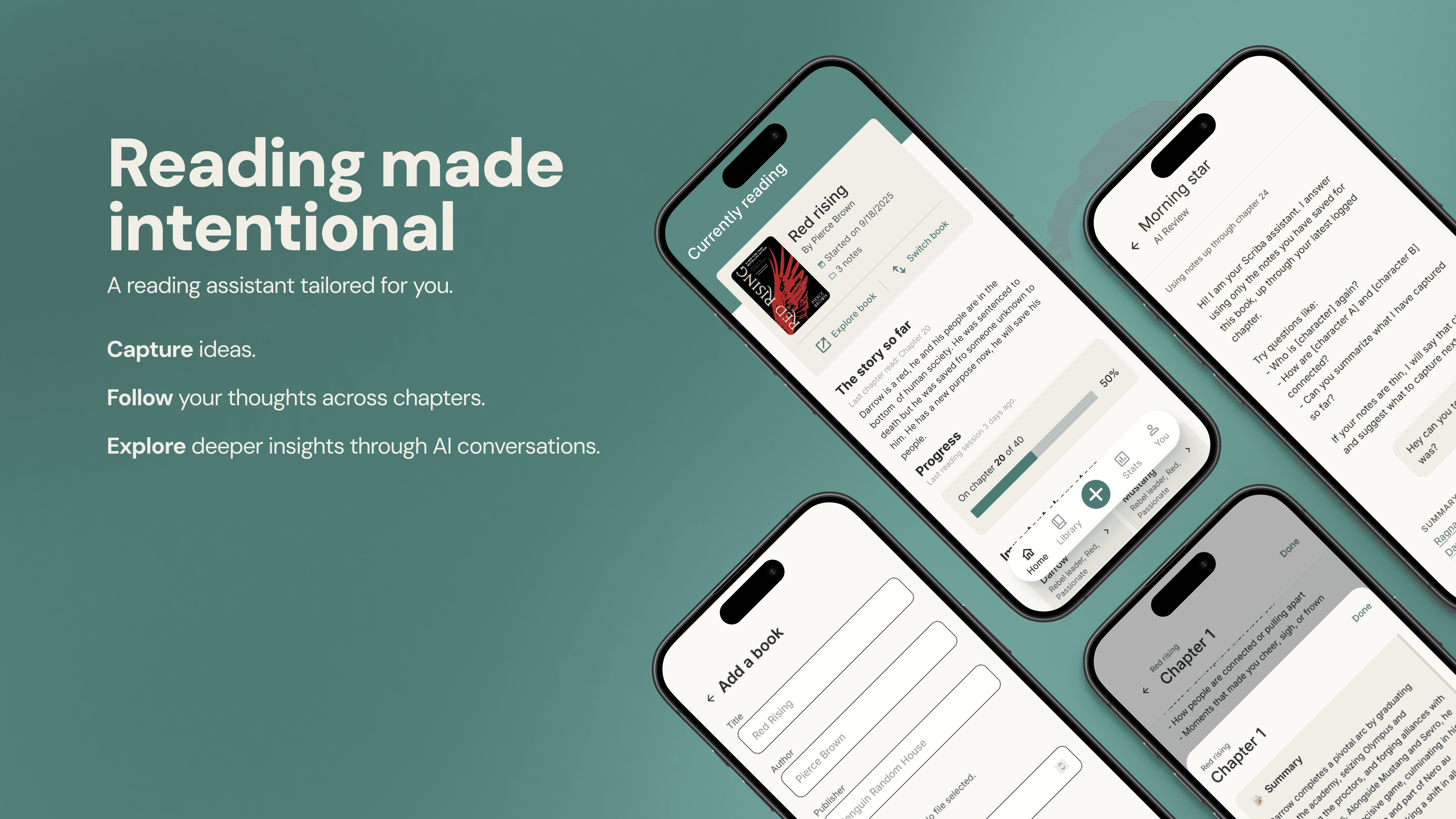
The home screen gives readers a quick snapshot of their current book, recent notes, and weekly reading stats. The layout uses a lot of white space, soft neutral tones, and clear hierarchy to support long form reading and reduce cognitive load.
This screen also pulls data from the structured JSON model built for the project, displaying recent notes, character mentions, and session history. The goal is to offer a lightweight overview without overwhelming the user with options.
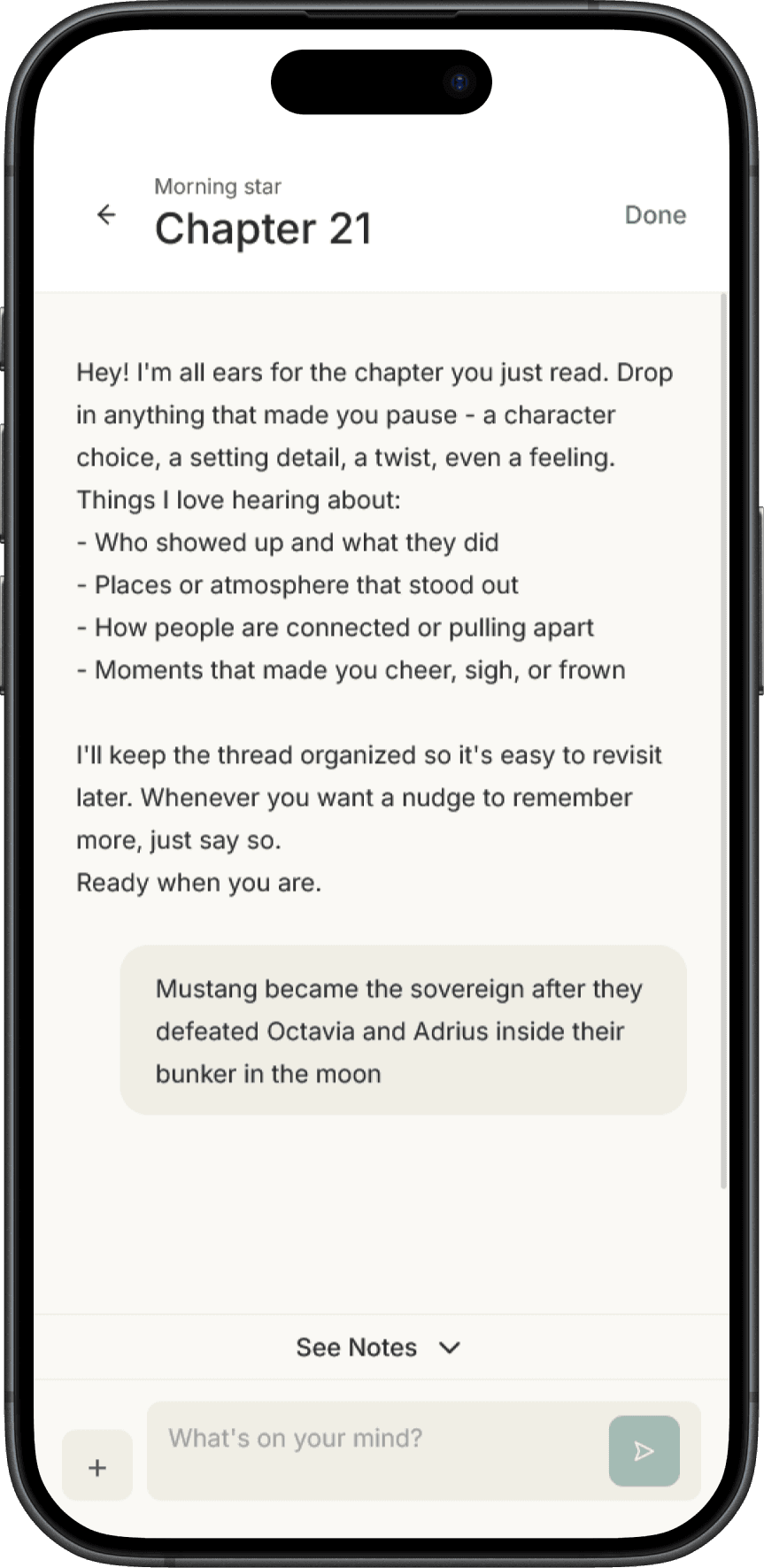
Journal Mode: Write freely while you read
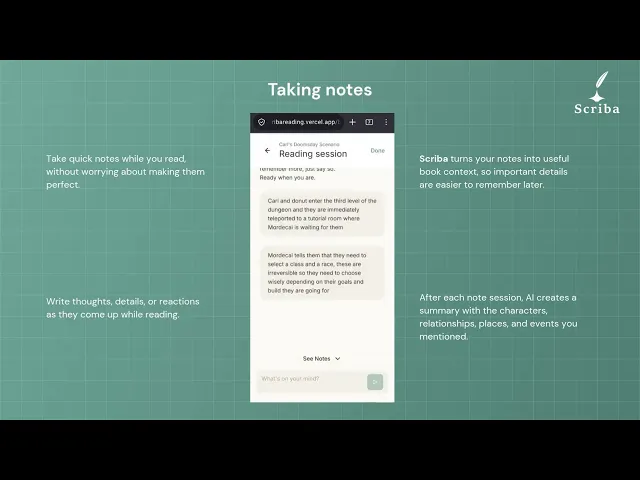
This screen lets readers capture thoughts without breaking their flow. The interface is minimal on purpose: soft colors, clear text hierarchy, and no distractions. These notes later become part of summaries and reflection prompts.
The AI takes a listener role in this screen, it never interrupts the user messages and silently takes note of the input to generate summaries and extract details of the chapter.
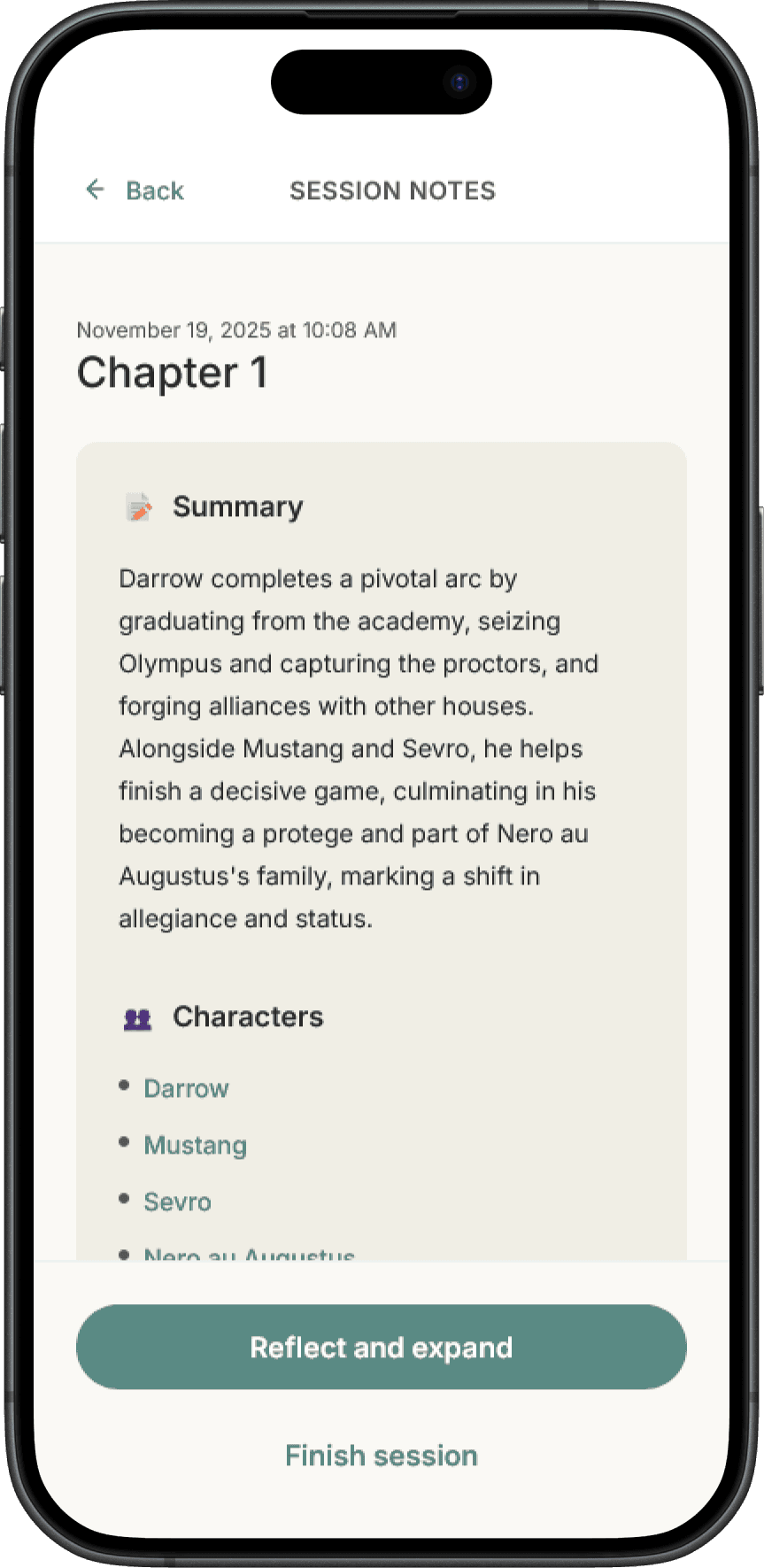
Session Summary: Your notes organized automatically
After a reading session, the system organizes your notes into a simple structure like summary, characters, and themes. Nothing here is AI invented, all content comes from what the reader wrote. The layout uses clear sections and neutral backgrounds to keep things easy to scan.
08. TESTING AND ITERATION
I ran lightweight usability sessions with classmates, where users were asked to add a book, create a note, and interact with the AI assistant. Everyone completed the tasks successfully, but the real value came from what needed improvement.
Book-creation flow
Manual entry was functional, but slower than it needed to be, so I replaced it with Google Books search to make onboarding more natural.
AI’s interpretation
Early behavior assumed characters were always human, which broke down in fantasy and non-human narratives. I updated the prompt logic so the system could handle characters more flexibly.
Tested in real scenarios
I also tested the system on myself over multiple weeks with real books I was reading. That was essential. AI can generate outputs that look polished on the surface while still being shallow, generic, or slightly wrong. Repeated usage helped me identify weak patterns, reduce hallucination risk, and make sure the output was actually useful for future recall rather than just cosmetically impressive
09. LEARNINGS SO FAR
1
AI Design Is Mostly About Boundaries
The hardest decision was not what the AI should do, but what it shouldn’t do.
By preventing the assistant from summarizing or inventing story details, the system keeps the reader responsible for generating knowledge.
2
AI Should Work the Way People Think
I designed three layers aligned with how memory works:
Capture → Reflect → Retrieve
Each stage supports a different cognitive moment during reading.
3
Better structure, better output
Working with coding agents taught me that AI works best when the system is well structured.
An AGENTS.md file defines context and rules for the coding agent, while the Figma MCP connection lets the agent read real design structure instead of guessing from screenshots.
4
AI Didn’t Replace Design Decisions
AI helped write code faster, but the real work remained designing the system the AI operates within.
Deciding when the assistant should speak, organize, question, or stay silent became the most important experience design challenge.